

Copilot - Financial Reporting

Improve Finance Department Reporting with Copilot for Microsoft 365
Change can be disruptive. By introducing Copilot incrementally, companies can manage the transition more effectively. Departments become early adopters, helping build confidence and familiarity.
The finance department is the heart of the organisation, juggling a myriad of critical, yet complex tasks—from quote-to-cash processes like credit and collections to risk management and compliance. Financial teams are not only responsible for these mandatory, labour-intensive operations, but are increasingly tasked with real-time insights into business performance and recommendations for future growth initiatives. In fact, 80% of finance leaders and teams face challenges to take on more strategic work beyond the operational portions of their roles.
Benefits for Finance Departments Using Copilot for Microsoft 365
Copilot for Microsoft 365 can empower finance professionals to streamline processes, enhance accuracy, and unlock valuable insights. In this article, we explore how Copilot can revolutionise finance reporting and benefit your organisation.
7 Top Use Cases for Finance Departments
Simplify Revenue Forecasting
Accurate revenue forecasting is crucial for financial planning. Copilot’s natural language processing capabilities allow finance teams to extract meaningful insights from historical data, market trends, and customer behaviour. By automating the analysis of revenue streams, Copilot enables faster and more accurate predictions. Meaning improved resource allocation, better budgeting, and enhanced strategic decision-making.
Example prompt: If sales of [product name] in [region] increase by 10% in Q4, what will be the impact on end of fiscal revenue?
Quickly Analyse Data
Instead of spending the majority of their day on analysis or cross-team collaboration, 62% of finance professionals are stuck in the drudgery of data entry and review cycles. Copilot in Excel has the ability to swiftly analyse complex financial data. Whether it’s evaluating profit margins, expense patterns, or investment returns, Copilot provides concise summaries and actionable recommendations. Finance professionals can focus on interpreting results rather than spending hours crunching numbers. Meaning increased productivity and agility in responding to market dynamics.
Example prompt: How much has profit margin on [service name] changed over the past 24 months?
Create Better Visual Representations
Numbers alone can be overwhelming. Copilot transforms raw data into compelling visualisations – from interactive charts to dynamic dashboards. Finance reports become more engaging and accessible, allowing stakeholders to grasp financial performance at a glance.
Finance teams will be able to prompt Copilot in PowerPoint to create stunning presentations from a dataset in Excel, leading to enhanced communication, better stakeholder engagement, and improved decision alignment.
Example prompt: Create a graph using [column 1] as the X axis and [column 2] as the Y axis.
Automate Reporting and Compliance
Copilot streamlines routine reporting tasks. Generate financial statements, compliance reports, and regulatory filings effortlessly. By automating these processes, finance teams reduce manual errors, ensure consistency, and meet deadlines saving time saved, reduced risk, and increased confidence in financial disclosures.
Example prompt: Using /[filename] generate a revenue report explaining the key trends over the past quarter using the headings: Executive Summary, Introduction, Past Quarter Results, Key Drivers and Conclusion.
Simplify Finance Consolidation
Copilot seamlessly integrates data from disparate sources – Word documents, spreadsheets, emails – into a unified view. Finance consolidation becomes efficient, accurate, and transparent.
Streamlined financial close processes, reduced reconciliation efforts, and better audit trails.
Example prompt: Find all data related to [product name] sales.
Analyse and Report on Variances
Copilot identifies anomalies and deviations from expected financial outcomes. Whether it’s analysing budget vs. actuals or tracking performance against KPIs, Copilot highlights discrepancies.
Proactive decision-making, early detection of issues, and improved financial control.
Example prompt: Create a new column that compares the differences between [column 1] and [column 2]
Explore Scenario Planning and Impact
Copilot enables scenario modelling – from “what-if” analyses to stress testing. Finance teams can simulate various scenarios, assess risks, and evaluate strategic options. The benefit? Informed contingency planning, resilience in uncertain times, and strategic agility.
Example prompt: If the Cost of Sale of [product name] increases by 10% in February and sales decrease by 3% in [region], will sales meet the targets in Q4?
Ready to Get Started?
Copilot for Microsoft 365 is your finance department’s secret weapon. Unlock its potential to transform reporting, analysis, and decision-making. Whether you’re a CFO, financial analyst, or accountant, Copilot empowers you to navigate the financial landscape with confidence. Embrace the future of finance – powered by Copilot and contact us today.
Get in touch:

Copilot - Transforming HR
Transforming HR Departments with Copilot for Microsoft 365
In the dynamic landscape of human resources (HR), staying ahead of the curve is essential. Incremental usage of Copilot through departmental adoption rather than a company-wide overhaul allows teams to learn, adapt, and refine AI solutions before scaling up. This minimises disruption and reduces risk.
Benefits for HR Departments Using Copilot for Microsoft 365
Research shows that nearly all HR professionals (98%) say they feel burned out. 94% have felt overwhelmed over the past six months, while 88% dreaded the prospects of going to work at all. Adopting Copilot for 365 can help HR professionals to streamline Recruitment, optimise the onboarding process and enhance employee engagement.
7 Top Use Cases for HR Departments
Craft Job Descriptions
Approximately 65% of the HR professionals indicated that it took them 2 hours or more to write a job description from scratch. With respect to writing job descriptions, the expectation is that the technology will be able to produce higher-quality descriptions in a shorter amount of time, making the overall process more efficient and yielding better hires.
Copilot can also leverage natural language processing to craft engaging job posting language to help attract more qualified candidates, stand out from other similar roles, and increase the volume and quality of applicants.
Example prompt: Write a job description for [job role] at [company name] with a focus on [experience]
Automate CV Screening
By leveraging Copilot HR departments can efficiently sift through a large volume of CVs, identifying relevant candidates swiftly through data-driven analysis and using AI to screen for consistency and fairness.
Copilot can also be fine-tuned to match specific job roles and industry requirements by modifying simple prompts.
Leveraging Copilot can also help with scalability and speed, the process of using Copilot means eliminating human error whether it’s handling 100 or 1000 CVs, HR teams can save time and focus on strategic tasks.
Example prompt: Create a report that compares the attached resumes to the requirements for a [job role] in the attached job description file and rank the candidates from most qualified to least qualified.
Analyse Employee Feedback
Engaged employees outperform unengaged employees by a staggering 147%, hence why monitoring and improving employee engagement plays a vital role in the success of any organisation. An engaged employee is likely to be more productive, positive, and committed to their work and go above and beyond their job description.
Natural language processing (NLP) helps decipher sentiments, identify trends, and highlight areas for improvement. HR can proactively address concerns and boost employee satisfaction.
Using employee engagement survey results, ask Copilot to analyse the sentiment of the text to understand the positivity of an employees’ views on a topic. This enables people to see patterns and trends in the results with ease.
Example prompt: Using /[filename] analyse the text for the sentiment of each employee response.
Create Better Onboarding Experiences
Onboarding employees is an important part of the hiring process. With an effective onboarding strategy in place, you can acclimate new hires into your culture and provide them with the knowledge and resources they need to succeed. It’s essential if you’d like to retain employees, reduce turnover and maximise productivity.
While standardising your onboarding program is essential, a one-size-fits-all approach to delivering onboarding experiences may not benefit all new hires equally. Some employees assimilate information slower, and others may learn better with visual rather than auditory methods. Deploying AI for onboarding will enable you to account for these differences, effectively engage all new hires, and customise your onboarding content to suit everyone’s role, background, learning style, and comprehension pace.
Some use cases include:
- New employees can use Copilot as a chatbot to find answers to questions in large employee handbooks
- Using Copilot to comb through your employee database to look for team members who share similar backgrounds and interests and match them up with new hires.
- Create and send tailored messages to employees at different phases of their onboarding journey to engage or nudge them to complete an onboarding task.
- Track continuous improvement through feedback analysis
Example prompt: What is the sick leave policy for work from home employees?
Summarise Policy Changes for Simplified Communication
Policy updates can be overwhelming. Copilot distils complex legal jargon into digestible summaries allowing HR teams to communicate new company policies or changes quickly and more efficiently, ensuring everyone is on the same page.
Example prompt: Using /[filename] draft an email to all employees explaining the policy changes and how they affect employees.
Design More Effective Training Presentations
Copilot in PowerPoint is an AI-powered feature that can help you create, design, and format your slides. You can type in what you intend to convey with your presentation, and Copilot will help you get it done. Copilot can help you move past that initial blank slide and get you moving in the right direction. Training sessions need impact. Copilot collaborates with HR to create visually appealing presentations. Whether it’s compliance training or leadership development, Copilot enhances engagement.
Example prompt: Using /[filename] create a PowerPoint presentation that will be used to train sales employees.
Create Custom Copilots for Frequent HR Questions
Copilot Studio is a cloud-based platform that enables you to create your own Copilots, which are intelligent conversational agents that can handle a variety of tasks and queries for your specific use case. With Copilot Studio, you can customise Copilot for M365, a ready-made Copilot that integrates with Microsoft 365 applications and services or build your own custom Copilots from scratch. You can also leverage the power of generative AI to provide dynamic and relevant answers to your users, based on your own data and logic.
Copilot becomes your virtual HR assistant, answering routine queries, guiding employees, and freeing up HR’s time and eliminating mundane tasks for the team.
Ready to Get Started?
Embrace the future of HR with Copilot. Navigate complexities, elevate employee experiences, and transform your department.
Get in touch:

Copilot - Creativity in Marketing
Kickstarting Creativity in the Marketing Department with Copilot for Microsoft 365
Adopting Copilot or AI using a departmental approach offers several advantages for companies. By starting at the departmental level, companies can focus on specific use cases or processes allowing for quicker implementation and easier integration with existing workflows.
Different departments have unique needs and challenges. In the fast-paced world of marketing, creativity and efficiency are key. Microsoft Copilot, an AI-powered productivity tool, integrates seamlessly with Microsoft 365 apps and services, providing a suite of capabilities that can supercharge the marketing department’s productivity and creativity.
Benefits of Copilot for Microsoft 365 for Marketing Departments
Microsoft Copilot offers a range of benefits for marketing departments. It can assist in drafting content, analysing data, managing meetings, and much more. With Copilot, marketing teams can streamline their workflows, enhance collaboration, and focus on what they do best – creating compelling marketing strategies.
How Marketing Departments Can Use Copilot for Microsoft 365
Never Start with a Blank Page
One of the biggest challenges in content creation is the dreaded blank page. With Copilot, you never have to start from scratch. Whether it’s drafting an email, creating a blog post, or writing a press release, Copilot can provide suggestions and help you get to a good first draft faster. In fact, 85% of users reported that Copilot helps them get to a good first draft faster. You’re always in control as the author, driving your unique ideas forward, prompting Copilot to shorten, rewrite or give feedback.
If you’re struggling to come up with topics to write about, let AI do the work for you. AI can generate a list of potential ideas based on your input. You can then choose good ones from the list to create your blog posts or articles.
Example prompt: List 20 ideas for blog posts to help me promote my latest product [insert product name]. Each blog post idea should target a specific search engine keyword: [insert keyword].
Assist with Optimising Web Content for SEO
Search Engine Optimisation (SEO) is crucial for any business wanting to increase its online visibility. Copilot can assist in optimising web content for SEO by suggesting keywords, meta descriptions, and title tags based on the content you’re creating.
Microsoft Copilot can be a valuable tool for SEO (Search Engine Optimisation) tasks.
Here are some ways you can use Copilot for SEO:
- Keyword Analysis: Copilot can assist in analysing keywords for your content. You can ask Copilot to suggest keywords based on the content you’re creating.
- Content Optimisation: Copilot can suggest improvements for your content to make it more SEO-friendly. For instance, you can ask Copilot to suggest SEO improvements for an article.
- Meta Descriptions and Title Tags: Copilot can help you create meta descriptions and title tags that are optimised for SEO.
Example prompt: Analyse /[filename] for how well search engine optimised it is for the target keyword [insert target keyword] and suggest any improvements.
Speed Up Market Research
Market research is a critical component of any marketing strategy. Copilot can speed up this process by helping you gather and analyse data from various sources. It can assist in creating surveys in Microsoft Forms by helping you come up with a list of questions.
Once you have collated responses for your survey, you can use Copilot in Excel to analyse responses and display trends and then Copilot can help you present your findings in PowerPoint.
Example prompt: Create a presentation from /[filename].
Generate A/B Testing Quickly
A/B testing is a great way to understand what works best for your audience and give you the data necessary to make the most of your marketing budget.
A/B testing is not only cost-effective, but it’s also time efficient. You are able to test 2 or 3 elements and get your answer. From there, it’s easy to decide whether to implement a change or not. If real-life data doesn’t hold up to your test results, it’s always possible to revert to an older version.
Copilot can assist in generating A/B tests quickly by helping you create two versions of an email, a webpage, or an ad, and then help you analyse the performance of each version.
Example prompt: Using /[filename], generate five subject lines for A/B testing
Craft Customer Personas
Understanding your audience is key to successful marketing. A customer persona is a brief document that outlines your target customer: it explains their demographics, psychographics, behaviour, and pain points. Typically, these take the form of one or more “sample customers.” These documents are sometimes called customer personas, buyer personas, or customer avatars.
Copilot can assist in crafting customer personas by helping you collate quantitative data from your CRM, website analytics, social media, email campaign data and qualitative data from customer surveys and interviews and analysing this data. It can help you create detailed profiles of your ideal customers, including their demographics, behaviours, and preferences.
Example prompt: Summarise what are the values, interests, and hobbies of the individuals who would buy [product/service]?
Analyse Campaign Performance
Analysing the performance of your marketing campaigns is crucial for understanding what works and what doesn’t. Copilot can assist in this analysis by helping you gather data from various sources, analyse it in Excel, and present your findings in a clear and compelling way.
Example prompt: Add a column that calculates total profit for each marketing campaign in Q4.
Design Compelling Presentations
Presentations are a key part of any marketing strategy. Whether it’s presenting a new campaign to your team, sharing your findings with stakeholders, or pitching to a potential client, Copilot can assist in designing compelling presentations in PowerPoint.
Example prompt: “Develop a presentation focusing on /[specific case study or success story].
Ready to Get Started?
Embracing Microsoft Copilot for Microsoft 365 can revolutionise the way your marketing department operates. It can enhance productivity, foster creativity, and drive business results. So why wait? Kickstart your creativity with Copilot today!
Get in touch:

Scout - Optimising IT Infrastructure

Optimising IT Infrastructure: The Key to Scaling Your Business
It’s no secret that running IT within your business can be expensive. With IT costs and spending rising globally, a solid IT strategy that checks every box that a modern business needs is looking to be much more expensive for the average business than ever.
Optimising your business’ IT infrastructure can be one of the best ways to ensure that your organisation isn’t overspending on IT. After all, optimisation allows you to fine-tune your organisation’s usage and resources to ensure that you’re only spending on the resources that you actually need.
In this article, we’re going to go over the ins and outs of IT infrastructure optimisation, and how you can get started with IT infrastructure optimisation within your business right away.
What is Optimised IT Infrastructure?
To put it simply, IT infrastructure optimisation is the process of running your IT systems with the best possible balance of resources and capabilities for your organisation.
By optimising your IT infrastructure, you can ensure that your organisation is adequately equipped to handle the IT load of your organisation — while also ensuring that you’re not allocating resources where they are not required.
There are ways for each main part of your organisation’s IT infrastructure to be optimised, all of which will further help your organisation take control of its spending and ensure that every part of your IT infrastructure is adequately equipped to do its job while also not haemorrhaging costs —
- Infrastructure Hardware: Your company’s IT hardware will need optimising to ensure that the hardware is both adequate to meet the needs of your organisation while also not being exorbitantly expensive.
- Infrastructure Software: Your organisation’s software will need optimising to ensure that licence allocations aren’t higher than required — such as the number of licenses paid for, the capabilities and resources that the licenses grant, etc.
- Networking: Networking is becoming increasingly important for organisations worldwide, especially with the rise of the cloud and remote working. Networking works as a hybrid of both hardware and software, where bandwidth and capabilities are the core optimisation points — does your organisation need a certain number of routers? Do you need a certain bandwidth to complete your work? etc.
By consistently optimising your organisation’s IT infrastructure, you can generally ensure that your business is powerful and sustainable, meaning more future growth will always be possible.
How Optimised IT Infrastructure Improves Scalability
As your organisation grows, scalability becomes a massive factor in the capabilities of your business.
Scalability is your organisation’s ability to handle and accommodate increasing workloads, while also remaining sustainable and functional for your business as it grows into the future. Optimisation plays a key role in this — not only by growing your business — but also by accommodating your business’s growth to keep it sustainable in the long term.
Where optimisation ensures that your organisation’s infrastructure is efficient, scalability is the ability to increase the resources allocated within your infrastructure while still maintaining the same efficiency. This will allow your business to accommodate growth much more easily — in a manner that will never lose the momentum of efficiency gained by optimising your business’ infrastructure.
Key Considerations for Optimising IT Infrastructure
While every organisation is unique in the challenges and considerations that need to be made when thinking about optimisation, there are a few key considerations that need to be made when optimising your organisation —
- Complexity: Optimisation is a complex and strenuous process, which requires fine-tuning your organisation’s IT infrastructure regularly to ensure that the best possible balance is found — which will cause issues and possible system failure if done incorrectly.
- Knowledge: Knowing that your organisation needs to optimise to save costs is one thing. Figuring out what actually needs optimising requires lots of sifting through data and analytics to ensure that the right parts of your organisation are being optimised.
With this, it’s much easier to team up with a trusted partner that will be able to help you ensure that everything is done correctly — while also taking care of the lengthy optimisation process to allow you to focus on more important parts of your business.
Best Practices for IT Infrastructure Optimisation
Optimising your organisation’s IT infrastructure can be done in many different ways, which can leave you scratching your head as to which is the actual best way of doing it. So, let’s take a look at the best way to optimise your organisation’s IT infrastructure.
- Audit
Auditing your organisation is the first key step in optimisation, as this will help you work out the results that optimisation can achieve. During this phase, you’ll need to find the reasons why optimisation is required and any detrimental effects it may have — to ensure you’re doing it for the right reasons.
- Plan
As with anything, planning is a key step in ensuring that the whole process is undertaken correctly. Without a thorough plan to ensure every step of the process has been meticulously decided upon and considered, you risk your organisation falling into complete chaos.
- Implementation
Implementation is the final step — putting the plan into action to undergo the process of optimisation will vary depending on your organisation, but will usually involve adjusting your infrastructure until you find the correct balance between resource allocation and requirement.
How Can We Help?
Optimisation is a key part of any growing business’s strategy to remain sustainable into the future — and grow to unlock their full potential.
By optimising costs and enabling scalability within your organisation, you’ll be able to ensure that your organisation isn’t overspending on IT infrastructure, which could allow you to allocate those resources to parts of your business that do need them.
If you’re looking into IT infrastructure optimisation and need a helping hand, reach out to us today. Our experts are here to help you along the way and will help you optimise your organisation’s IT infrastructure so you can focus on the pressing matters within your business.
Get in touch with us now and see how we can help.
Get in touch:

Hornet - Email Security
Guide to Comprehensive Email Security for SMBs
Email is still the number one communication channel for most businesses. Whilst email is the perfect solution for asynchronous communication, it can also be an entry point for cybercriminals if it is not sufficiently secured. There are many ways that cybercriminals can exploit emails, including phishing, domain spoofing, sharing of ransomware and more. In this article, we will discuss the importance of email security for SMBs and 5 ways your business can secure your email.
The Importance of Email Security for SMBs
Email has remained the number one threat vector for many years, with 83% of all cyber attacks being reported as phishing attacks. Email is such an effective attack vector for cyber criminals as email is used by all businesses and the sheer volume of emails that are received daily makes it difficult for employees to not let a phishing email slip through. These phishing emails can have a variety of goals, including everything from stealing payment card information to launching a wide-scale ransomware attack. However, regardless of how a cyber criminal uses email as an attack vector, it can have devastating consequences for SMBs. Typically, businesses are concerned about the direct financial impact a cyber attack can have, although the downtime and associated reputational damage can be significantly worse, which is why SMBs need to invest in keeping their email secure.
4 Ways to Keep Your Email Secure
Email Security Protocols:
In order to secure your business’s email, the first step is to ensure that all appropriate security protocols are implemented correctly. There are many options for email security protocols that each serve a specific purpose, whilst working together to achieve overall security. Some of the common security protocols include TLS for HTTPS, SMTPS, STARTTLS, SPF, DKIM, DMARC, S/MIME and OpenPGP. Whilst all of these protocols are essential, SPF, DKIM and DMARC are particularly important.
SPF or Sender Policy Framework is a protocol that allows the owner of the domain to authorise which hosts can use the domain when sending emails and how this should be verified. This strongly decreases the chance of a business falling victim to a domain-spoofed phishing attack.
DKIM or DomainKeys Identified Mail extends SPF to allow the individual that owns the signing domain to link a digital signature that authenticates the individual.
DMARC or Domain-based Message Authentication, Reporting and Conformance provides a method for notifications and actions if an email fails authentication from SPF and DKIM. The response actions or policies are either to quarantine the email or reject it outright.
These email security protocols are relatively simple to set up, but provide powerful protection, therefore all businesses should have them implemented, either in-house or with the assistance of a trusted third-party IT provider.
Make Use of an AI Solution
In order to truly protect your business from cyber threats using email as an attack vector, businesses should invest in a solution that has multiple layers of security, supported by next-generation AI. Often these solutions have features that protect against gaps in an email provider’s security, including offering a secure email gateway with targeted threat protection, and internal email protection. For businesses that are looking to take their security to the next step, it is also possible to have an email security solution that includes web and URL protection, so even if a malicious email does get through the multiple layers of security, the end-user cannot download a malicious file or click a malicious link.
Employee Education and Awareness Training
When considering all elements of security, businesses should aim for Defence in Depth, this is a concept whereby businesses have multiple layers of protection, so if a cyber criminal thwarts one layer, they are stopped by the next. Whilst email security protocols and a comprehensive email security solution that uses AI should stop the majority of attacks, it is essential that employees have sufficient security awareness training to detect a potential email attack and know what actions to take to not fall victim. The training should be interactive, specific to the business and industry, and employees should be given frequent ‘refresher’ courses to ensure the knowledge is retained. Typically, this will include examples of phishing emails, potentially some real-world examples that the email security solution has quarantined or rejected, as well as a clear policy of how to report a phishing email.
Implement Multifactor Authentication
Whilst low-effort phishing attacks can be easy to spot, it is far harder to a phishing attack launched from a compromised account, as the email is ‘from’ a colleague’s account. The accounts can be compromised in a variety of ways, however, typically they are cracked using credential stuffing. This is a form of cyberattack whereby the attacker collects stolen account credentials, typically usernames/emails and passwords, in order to gain access to other accounts. These credentials can be purchased on the dark web through previous data leaks. One way that these forms of attacks can be avoided is through using a unique, complex password for each system, which all employees should be doing. However, multifactor authentication should also be implemented for every user’s email client, as this will stop 99.9% of account compromise attacks.
Looking to Secure Your Email?
It can be difficult for SMBs to prioritise cyber security in their IT budgets, however, it is essential to ensure the longevity of your business. As email is the number one attack vector, it should be high on the list of priorities, as secure email can prevent the majority of attacks. With this being said, as mentioned previously, to truly reduce your business’s cyber risk, you should consider defence in depth as a method of providing multiple layers of protection. If you want to find out more about how to keep your business safe, contact us today.
Get in touch:

Hornet - Email Back-Up
Are your Microsoft 365 mailboxes backed up?
In today’s business world, email is the backbone of communication. Complete365 reports that Microsoft Office 365 Email is the most popular 365 product among medium-sized companies, and Ontech claims emails contain 60% of business-critical data.
No doubt, emails are incredibly important, so having a robust system for storing your email data in case of catastrophe is a good idea. In fact, emails may contain sensitive information that shouldn’t be lost or destroyed under GDPR.
Most modern companies make regular backups of their most important data, as backing up data can make the difference between a salvageable error and a catastrophic one.
In this article, we’re going to discuss how to make sure that your Microsoft 365 mailboxes are backed up and protected for your benefit.
What is a backup?
Backups are copies of data stored in an alternate location that is accessible in the case of corruption, destruction or inaccessibility of the primary data.
The most traditional backup is the 3-2-1 backup, which ensures there are three versions of data – one is the primary and two backups. One backup should be stored offsite, and each should be stored on different media. This ensures that the original data is always accessible, even in the event of a catastrophe.
With the advent of cloud-based systems, UniTrends notes that the 3-2-1 system has become a 3-2-2 system, with a cloud-based copy serving as another ‘offsite’ backup.
In today’s modern workplace, the cloud plays an integral role in storing and protecting files and preventing data loss in the event of hardware failure.
Are Microsoft 365 mailboxes automatically backed up?
The Microsoft 365 platform does preserve your email to a certain extent, but it does not back it up. Microsoft 365 provides support for protection against major events affecting their data centres; physical and network security for data centres; privacy controls to protect users; and replication, redundancy, and storage of data.
Email data, however, is the responsibility of the enterprise if it is accidentally or maliciously deleted. That’s exactly why you should consider a mailbox backup solution.
Why does Microsoft not automatically back them up?
It is important to note that, when it comes to Microsoft 365, they operate on a model of Shared Responsibility.
This means Microsoft are not responsible for your data, but rather for the operation and infrastructure of Microsoft’s Global Infrastructure and systems as a whole.
Intuitively, this makes sense. Handling your backups is a big undertaking, so they avoid automatic backups. As a result, Microsoft is free to focus on providing you with the best service possible.
This does mean your mailboxes aren’t backed up by default. Microsoft also offers tools for archiving emails and files, and for restoring files and data after accidental or malicious deletion.
This means that anything haphazardly deleted can be recovered within a short period of time — if noticed within 14 days (adjustable up to a maximum of 30 days).
However, restoring files can be destructive. Data is restored to the same place, meaning that any additional data will be overwritten, with no rollback capabilities.
Once these temporary backups are overwritten or cleared, any important information that is stored on these emails will be lost forever. There are no redundancies.
Therefore, to keep your business emails secure, you should invest in a mailbox backup solution.
Why invest in a backup solution?
The importance of backups cannot be overstated when it comes to protecting and archiving your files, especially if they are stored in the cloud. We believe the best way to ensure your emails are kept safe is by investing in a cloud-based backup solution.
Here are some key benefits of a mailbox backup solution like Acronis:
- Avoid loss of productivity: Businesses use emails to share important information, communicate with clients and collaborate. Losing this information can destroy your productivity and lead to months of lost work. Moreover, a cloud solution cuts down your recovery time from a cyberattack or data loss – as you can quickly restore emails within a few clicks.
- Improved cybersecurity: Many on-site email servers and backup solutions suffer from poor security infrastructure. Cloud backup services like Acronis use advanced security measures to keep your sensitive emails safe.
- Ensure compliance with data protection: As mentioned before, emails can hold personal information. Negligent deletion of these emails could put your business at risk of fines under GDPR.
Investing in a backup solution also mitigates the risk of losing data when an employee leaves a Microsoft Office 365 account, which is standard procedure within most companies when an employee leaves.
As a result, any important data stored in that account will never be recoverable. With a backup, a copy of that data is stored elsewhere and is accessible even after the account has been deleted.
You can also secure and encrypt your data in the cloud when you use a cloud-based backup solution so that even if you experience a hardware failure, your data won’t be lost or corrupted.
Get your mailbox backup strategy right with an MSP
A cloud-based email backup solution is the best way to keep your important emails safe. Setting up backup rules and configuring your software solution can be tricky. Get this wrong and the consequences could be dire.
Why not leave it to the professionals? Working with an MSP affords you access to our great wealth of experience.
We’ll be able to walk you through which platform to invest in and guide you on how to get started!
Are you ready to take charge of the security and safety of your data? Get in touch with us now, so we can help you deploy your Microsoft 365 mailbox backup solution.
Get in touch:

Copilot - Supercharge Sales

Supercharging Sales Departments with Copilot for Microsoft 365
Using a departmental approach to adopting Copilot means customisation to address specific pain points for each team, in the world of sales, efficiency and productivity are paramount. With the advent of AI technology, sales departments can now accelerate their operations. Copilot for Microsoft 365 is a powerful AI assistant that can streamline various sales tasks, leading to increased productivity and improved sales outcomes.
Benefits for Sales Departments Using Copilot for Microsoft 365
Copilot for Microsoft 365 offers a multitude of benefits for sales departments. It can automate routine tasks, freeing up time for sales reps to focus on building relationships and closing deals. It can also provide insights and analytics, helping sales teams make data-driven decisions. Moreover, it can assist in crafting personalised communications, enhancing customer engagement and satisfaction.
7 Top Use Cases for Sales Departments
Draft Outreach Communications
Crafting the perfect sales pitch or follow-up email can be time-consuming. Research has shown that sellers spend upwards of 60 percent of their time managing their inbox. Copilot helps lighten some of this burden through AI-generated email summaries and responses. AI can suggest persuasive language and relevant information to include, you can also choose the tone and length and regenerate the response to your liking, improving the chances of a positive response.
Example prompt: Let the team know we decided to use clay shingles and to go ahead so we meet the deadline.
Capture Meeting Actions
Remembering and documenting all the important points from a sales meeting can be challenging. Copilot in Teams can assist in capturing meeting actions, ensuring no critical information is missed. This can lead to better follow-ups and more successful sales outcomes.
If transcription is enabled, you can use Copilot to view summaries or generate action points. Its inputs are messages from the transcription it is invoked from, and its outputs are a high-level summary and key takeaways. The user can enter a query (suggested or free text) and Copilot will generate answers based on the meeting transcript. Common use cases are summarising the meeting and getting answers to questions such as the decisions that were made or open items.
Example prompt: Record the actions from the meeting for each attendee.
Keep CRMs Up to Date
Microsoft Copilot can assist in keeping Customer Relationship Management (CRM) systems up to date in several ways:
- Automated Updates: Copilot for Sales utilises AI to detect and recommend updates to opportunity records, including stage, close date, and estimated revenue, directly from emails or meetings. This ensures that the CRM data remains accurate and up-to-date.
- Task Automation: Copilot can simplify and automate tasks. For example, it can process prompts from the user, retrieve business content and data, generate responses, and send commands back to the apps. This automation can increase efficiency and productivity across the organisation.
- Meeting Recaps: If a salesperson misses an important meeting, Copilot in Teams can provide a meeting recap, including shared content, detailed notes, and action items. The salesperson can ask Copilot questions to gather more context.
- Issue Resolution: Copilot provides real-time assistance to resolve issues faster, handle cases more efficiently, and automate time-consuming tasks.
By automating routine tasks and providing insights, Copilot can free up your workforce’s valuable time and optimise resources that can be redirected to more strategic activities. This can lead to increased efficiency and productivity across the organisation. Maintaining up-to-date records in a Customer Relationship Management (CRM) system is crucial for effective sales management. Copilot can help keep CRMs updated by automating data entry tasks, reducing errors and ensuring that all customer interactions are accurately recorded. A study by Microsoft found that a 52% decrease in the number of clicks to identify and add a new CRM contact.
Example prompt: Using the meeting transcript, create a summary to be uploaded into Dynamics 365.
Draft Tender Proposals
Writing a compelling tender proposal requires a deep understanding of the customer’s needs and how your product or service can meet them. Copilot can assist in drafting tender proposals, suggesting relevant content and persuasive language that can increase the chances of winning the bid.
Example prompt: Using /[filename] draft a tender proposal for a [service] for [company name].
Craft Personalised Sales Presentations
Personalisation is key in sales presentations. Copilot can help craft personalised sales presentations by suggesting content tailored to the customer’s needs and preferences. Let Copilot in PowerPoint help you build a presentation by generating slides or images with your organisation’s branding.
This can enhance customer engagement and increase the likelihood of a successful sale.
Example prompt: Create a presentation addressing the challenges in /[filename].
Analyse Sales Data
Sales data analysis is crucial for identifying trends, forecasting sales, and making strategic decisions. Copilot in Excel can assist in analysing sales data, providing insights that can help sales teams optimise their strategies and achieve their sales targets.
Example prompt: What are the trends in [product name] sales in [region] over the past 3 months?
Quickly Compare Products
When selling a product, it’s important to understand how it compares to competitors. Copilot can assist in quickly comparing products, providing a clear overview of the product’s strengths and weaknesses. This can help sales reps position their product effectively and overcome objections.
Copilot for Microsoft 365 can have massive impact on your productivity by integrating with Outlook and Teams to augment seller actions and decisions, with AI-powered insights to drive efficiencies and best in class customer engagement. It saves time, cuts down on redundant work, and lets your team work to their fullest.
Example prompt: Compare the strengths and weaknesses of [product 1] and [product 2] focusing on the [benefits] for [industry]
Ready to Get Started?
Harness the power of AI and take your sales operations to the next level. Contact us today!
Get in touch:

Copilot - Customer Experience
Deliver Better Customer Service Experiences with Copilot for Microsoft 365
In today’s dynamic business landscape, exceptional customer service plays a pivotal role. Customers expect prompt, accurate, and personalised responses to their queries with 73% of consumers will switch to a competitor after multiple bad experiences. Copilot for Microsoft 365 is a powerful tool that empowers customer service departments to elevate their interactions with customers.
Let’s delve into how Copilot can revolutionise your customer service experiences.
Advantages of Copilot for Microsoft 365 in Customer Service Departments
Copilot accelerates response times by providing intelligent suggestions. Customer service agents can swiftly address common queries without spending excessive time searching for information. Copilot can also ensure uniform messaging across customer interactions, whether it’s via email, chat, or social media. The tone and accuracy remain consistent.
How Customer Service Departments Can Leverage Copilot for Microsoft 365
1. Swift Responses to Common Queries
When customers pose routine questions, Copilot suggests relevant responses. Agents can customise these suggestions to maintain a personal touch.
This is possible by using existing product manuals and process documents as the context for ongoing prompts. This allows agents to use the same questions that customers are asking them as prompts and receiving an accurate response within seconds.
Example prompt: If the light on [product name] is blinking red twice, then white four times, what does this error code mean? And how can this be fixed?
2. Concise Email Chain Summaries
Copilot condenses lengthy email threads into succinct summaries. Copilot in Outlook simplifies the process of summarising lengthy email threads. Copilot will scan the entire email conversation, identifying essential points and relevant details. It then generates a concise summary that captures the main highlights of the thread making it easier for you to extract key information.
Customer service reps can quickly grasp context and provide accurate follow-up. This is particularly useful when cases are passed between multiple agents when there is already a conversation that has taken place.
Example prompt: Summarise the email chain.
3. Analyse Feedback Sentiment
6 in 10 customer service agents say a lack of consumer data often causes negative experiences. Copilot identifies sentiment trends in customer feedback. This data is extremely valuable, and the insights can be used to enhance processes and effectively address pain points.
Feedback sentiment analysis can be completed on any text that is within the Microsoft ecosystem. This includes everything from Teams call transcripts to survey responses exported from Microsoft Forms.
Example prompt: What was the sentiment of this call and did the caller leave the conversation well informed?
4. Simplify Knowledge Base Article Creation
Agents can collaborate with Copilot to create informative knowledge base articles. These resources empower customers to find answers independently.
As Copilot has access to all data within an environment it is possible to ask natural language prompts about specific customer problems, and even use existing documentation to create knowledgebase articles. If the content written using language or a tone that wouldn’t be easily comprehended by customers, employees can simple prompt Copilot to adjust the tone and language accordingly.
Example prompt: Create a knowledgebase article explaining how to create new users in [product name], without using technical jargon.
5. Craft Better Customer Surveys
Leverage Copilot’s assistance in designing impactful surveys. Gather insights and enhance services based on customer preferences.
When creating surveys it can be difficult to know the right questions to ask to get the required insights Even once the questions have been created, they need to be checked for bias to ensure that customers are sharing their honest opinions.
Copilot can help with both creating the questions, as well as checking them for bias, which increases agility and allows businesses to gather feedback effectively and quickly.
Example prompt: Create 6 unbiased survey questions to find out customer’s honest opinions on [product name].
6. Streamline Account Management
Copilot assists with account-related tasks, from initial setup to troubleshooting. Agents can efficiently handle account inquiries.
Businesses, their products and processes are extremely complex and it is difficult for agents to have an in-depth understanding of everything a customer may ask. Whilst it is possible to hand the customer over to another department, using Copilot for information retrieval can create more streamlined customer experience, as even first line customer service agents can use Copilot to answer more difficult questions.
Account Managers can also summarise all previous communications to make sure they are prepared for monthly account management calls.
Example prompt: Summarise all Teams and Outlook communications with [customer name] over the past month.
7. A Single Solution Across Multiple Regions
With Copilot’s multilingual capabilities, agents across multiple regions can use Copilot to assist in delivering exceptional customer experiences.
For chat-based, they can prompt in their preferred language, and then create another prompt to translate it into the native language of the customer. This is particularly useful for creating FAQs and knowledgebase articles as it is simple to draft a document and translate it into all required languages.
Note: Copilot is currently available in several languages to cater to a diverse user base. Here’s the list of supported languages: English (US, GB, AU, CA, IN) Spanish (ES, MX) Japanese French (FR, CA) German Portuguese (BR) Italian Chinese Simplified, additional languages may be added in the future to enhance its capabilities.
Example prompt: Create an FAQ document based on/[file name]
Translate this to [language]
Ready to Begin?
Empower your customer service team with Copilot for Microsoft 365. Unlock efficiency, consistency, and improved customer experiences. Whether you’re handling inquiries, resolving issues, or enhancing self-service options, Copilot is your trusted ally. Contact us today to get started.
Get in touch:

Copilot - Your AI Assistant
Introducing Copilot for Microsoft 365: Your Everyday AI Assistant
As we enter a new era of AI, we begin to realise that AI has fundamentally changing how we relate to and benefit from technology. With the convergence of chat interfaces and large language models such as ChatGPT, you can now ask for what you want in natural language and the technology is smart enough to answer, create or act on limited prompts.
In today’s fast-paced business landscape, incorporating AI in the workplace is essential to optimising operations and driving growth.
What is Copilot for Microsoft 365?
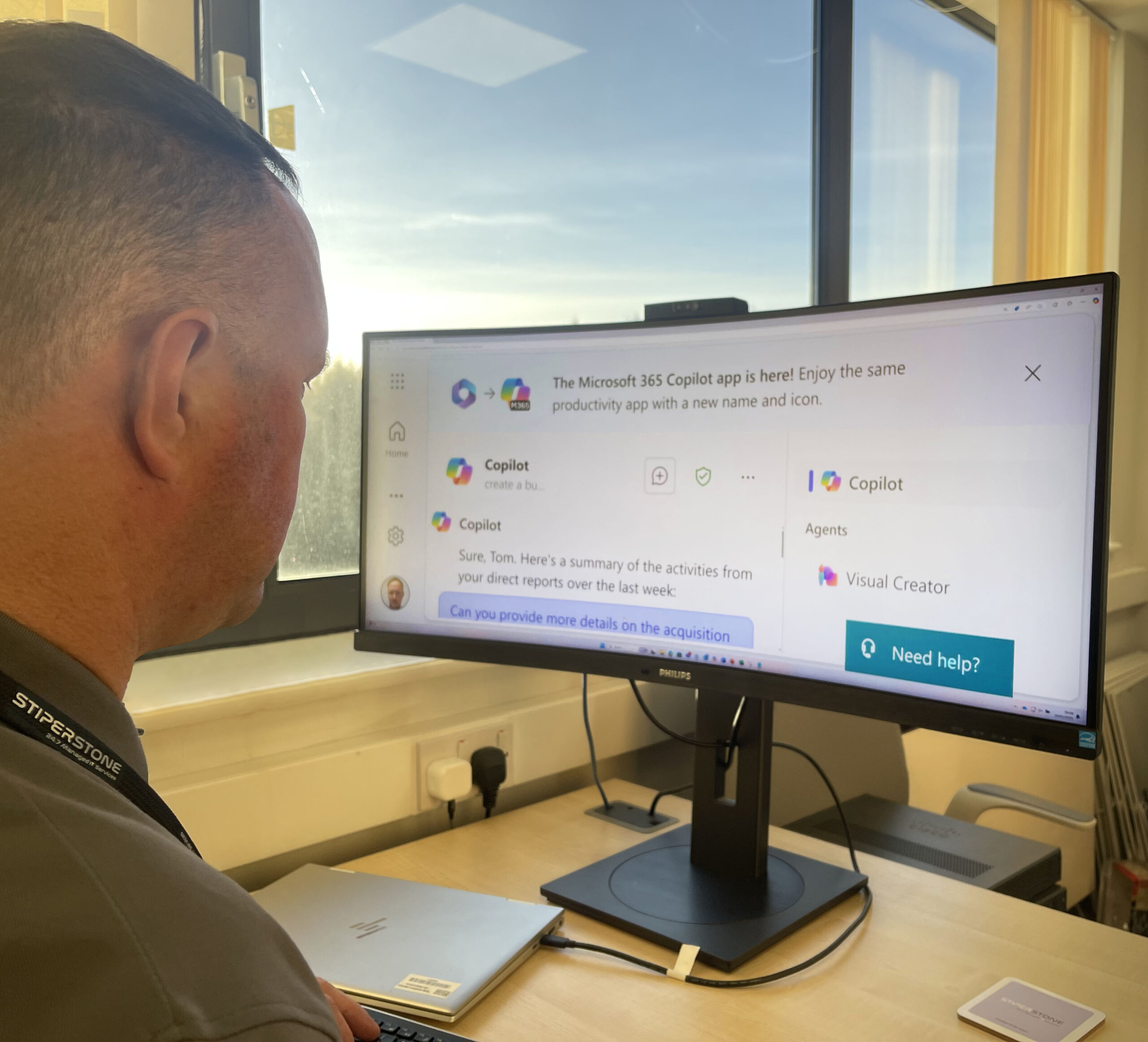
Copilot for Microsoft 365 can be thought of as gaining copilot to help navigate any task by working alongside you. Embedded in the Microsoft 365 apps you use every day — Word, Excel, PowerPoint, Outlook, Teams and more — it can unleash creativity, unlock productivity and uplevel your skills.
With Copilot, you’re always in control. You decide what to keep, modify or discard. Now, you can be more creative in Word, more analytical in Excel, more expressive in PowerPoint, more productive in Outlook and more collaborative in Teams.
Key Features
With Copilot in Word, you can jump-start the creative process, so you never start with a blank slate again. Copilot gives you a first draft to edit and iterate on — saving hours in writing, sourcing, and editing time. You’re always in control as the author, driving your unique ideas forward, prompting Copilot to shorten, rewrite or give feedback.
Copilot in PowerPoint helps you create beautiful presentations with a simple prompt, adding relevant content from a document you made last week or last year.
With Copilot in Excel, you can analyse trends and create professional-looking data visualisations in seconds.
From summarising long email threads to quickly drafting suggested replies, Copilot in Outlook helps you clear your inbox in minutes, not hours. In fact, a study with early adopters of Copilot has discovered that emails written with Copilot were rated 18% more clear and 19% more concise.
And every meeting is a productive meeting with Copilot in Teams. It can summarise key discussion points — including who said what and where people are aligned and where they disagree — and suggest action items, all in real time during a meeting. Microsoft found that Copilot users summarised a 35-minute recorded meeting nearly 4x faster (3.8), in 11 minutes and 13 seconds, compared to 42 minutes and 34 seconds for non-copilot users.
Copilot Adoption: A Departmental Approach
Different functions within a business are performed and controlled by different parts of the business. One of the reasons for separating business operations into functional areas is to allow each to operate within its area of expertise, thus building efficiency and effectiveness across the business.
This is equally important to understand when it comes to Copilot adoption, how your marketing teams use their Microsoft 365 apps will differ greatly from your finance teams:
Marketing
Marketing teams are often tasked with creating, editing, and reviewing content across various platforms. With Copilot, these tasks become more manageable. The AI tool can assist in drafting marketing content in Word, creating compelling presentations in PowerPoint, and managing meetings in Teams. It can also help in scheduling and managing meetings, making it easier for teams to collaborate and share ideas.
Sales
Sales teams can leverage Copilot to streamline their workflows. From drafting emails and creating presentations to managing meetings, Copilot can assist in all these tasks. Moreover, it can help in analysing sales data in Excel, providing valuable insights that can drive sales strategies.
Finance
For finance teams, accuracy and efficiency are paramount. Copilot can assist in creating financial reports and analysing data in Excel. It can also help in drafting emails and managing meetings in Outlook and Teams, ensuring smooth communication within the team and with other departments.
HR
HR professionals can use Copilot to manage various HR activities efficiently. From creating HR documents in Word to scheduling interviews in Outlook, Copilot can assist in all these tasks. It can also help manage team communications in Teams, ensuring everyone is on the same page.
Microsoft Copilot offers a departmental approach to productivity, catering to the unique needs of different teams. By adopting Copilot, businesses can enhance efficiency, improve the quality of work, and drive productivity. A study conducted by Microsoft revealed that 70% of Copilot users reported increased productivity. Users were 29% faster in a series of tasks such as searching, writing, and summarising. Moreover, 77% of users said once they used Copilot, they didn’t want to give it up.
Ensuring a Return on Investment
Copilot for Microsoft 365 is packed full of features that are designed to increase productivity enough for businesses to have a strong return on investment from the cost of the technology. In the study mentioned previously, it was found that, on average, users were able to save 14 minutes per day, 1.2 hours a week, or 5.2 hours a month. It was also found that 22% of users were able to save more than 30 minutes per day, over 2.5 hours a week or over 10.8 hours a month.
These time savings are impressive, but it also gives some interesting insights into what the potential return on investment may look like if you were to implement Copilot for Microsoft 365 into departments within your organisation. For example, in the UK, the average salary for a marketing employee is £32,625, if they were able to save 5.2 hours a month using Copilot for Microsoft 365, this would equate to savings of £87 per month.
A Copilot for Microsoft 365 license costs £24.70/month, and therefore the usage of an average user would have a return on investment of 252% and a power user would have a return on investment of 631%.
Using a departmental approach to adoption helps businesses to ascertain how effective Copilot for Microsoft 365 is within a department, and take the learnings from one department before it is rolled out across other departments or the entire organisation.
Microsoft 365 administrators can also view how well Copilot is being adopted across user groups, which can be used to help with training initiatives.
What's Next?
Follow our blog series as we take a deep dive into each department of the business and how Copilot for Microsoft 365 can help. Or if you can’t wait to learn more about Copilot and how it can transform productivity within your business, contact us today.